


7 Canva Alternatives You Need to Know

Last update: 17 April 2025 at 04:08 pm
Canva has become a household name, providing a user-friendly interface and a vast library of templates for novice and experienced designers. However, while Canva is a popular tool, exploring alternatives that offer unique features and capabilities suited to diverse design needs is important. This guide introduces seven noteworthy Canva alternatives that cater to a wide range of design skills and requirements.
Why Consider Canva Alternatives?
While Canva has revolutionized graphic design for many, it has its limitations:
Limitations of Canva
- Template Saturation: Canva’s templates are widely used, with millions of users, making it challenging to create unique designs that stand out.
- Limited Advanced Features: Canva’s simplicity can limit users who require more advanced design functionalities.
- File Format and Offline Limitations: Canva’s export options and offline capabilities can be restrictive.
Find out what your project would cost with a custom budget report based on the latest data.

Benefits of Exploring Alternatives
Considering alternatives can enhance creativity, improve your skill set, and allow for better project suitability. They can also offer:
- Increased Productivity: Some tools provide more efficient workflows.
- Cost-Effectiveness: Alternatives may provide better long-term value.
- Advanced Collaboration: Many alternatives come with robust collaboration tools for teams.
1. Adobe Spark: A Powerful, Versatile Tool
Adobe Spark is part of the Adobe Creative Cloud family. It offers intuitive design tools and seamless integration with other Adobe products.

Key Features
- Branded Templates: Create consistent branding across designs with customizable templates.
- Adobe Stock and Fonts Integration: Access to premium assets for high-quality designs.
- Multi-platform Compatibility: Design across desktop, web, and mobile devices.
Pricing
- Free Plan: Limited features with Adobe watermarks.
- Paid Plans: Start at $9.99/month for individual use.
2. Figma: Real-Time Collaboration for Design Teams
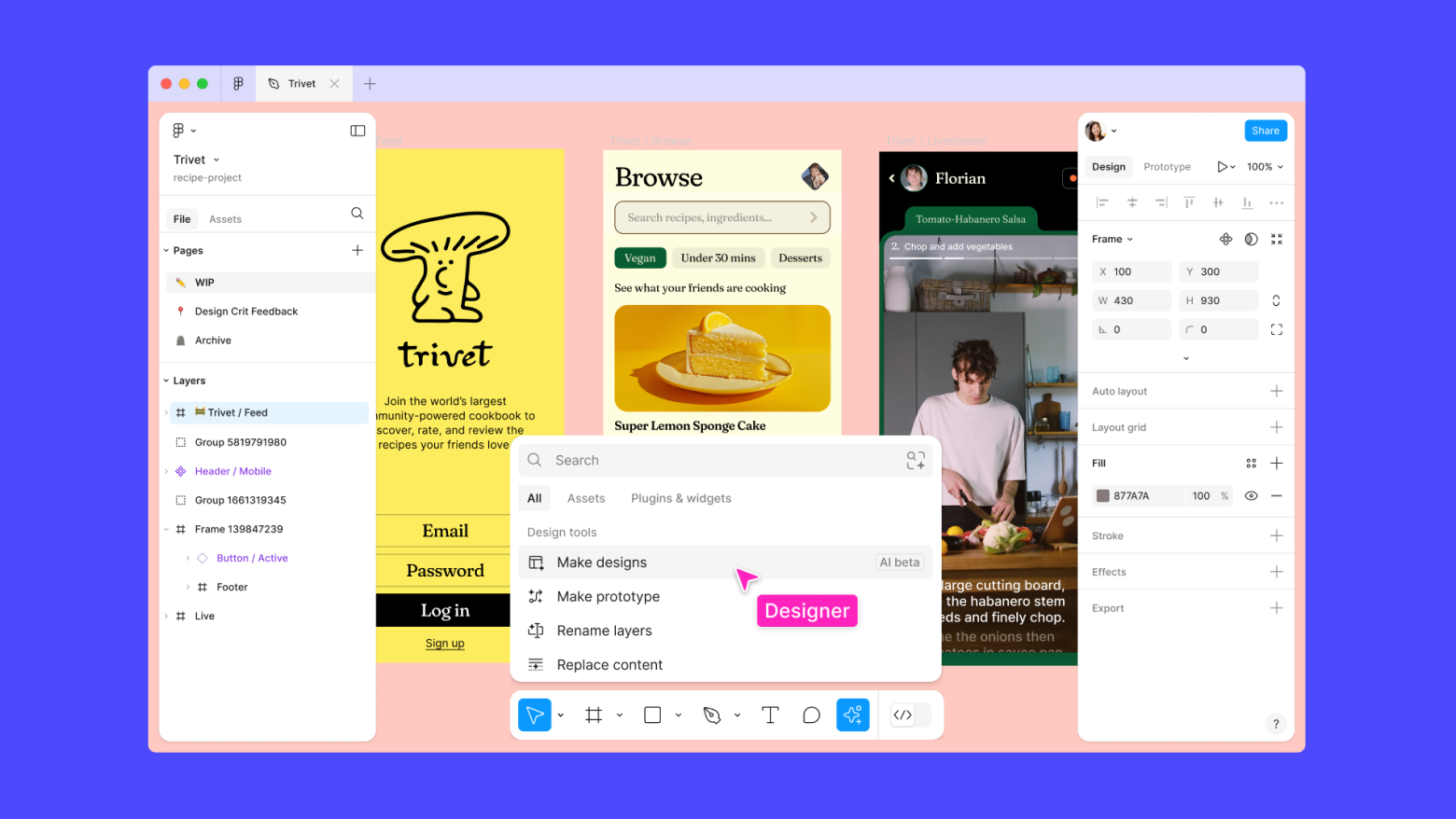
Figma is known for its real-time collaboration features, making it ideal for design teams working on complex projects.
Key Features
- Simultaneous Editing: Multiple team members can work on the same file in real-time.
- Prototyping: Design interactive prototypes directly in Figma.
- Design Systems: Maintain consistency across projects with shared components and design systems.
Pricing
- Free Plan: Limited features with up to 3 Figma and FigJam files.
- Professional Plan: Starts at $12/editor/month.
3. Affinity Designer: Professional-Grade Vector Graphics
Affinity Designer offers a robust set of vector and raster tools, making it a great choice for professionals looking for advanced yet user-friendly design software.

Key Features
- Vector and Raster Workspaces: Seamlessly switch between pixel and vector art.
- Precision Tools: Create detailed vector illustrations with professional-grade tools.
- Non-destructive Effects: Experiment with effects without altering your original design.
Pricing
- One-Time Purchase: $54.99 for desktop versions, with a separate iPad version at $19.99.
4. Visme: Data Visualization and Interactive Design
Visme shines in its data visualization capabilities, allowing users to create dynamic infographics, reports, and presentations.

Key Features
- Interactive Elements: Add clickable buttons, hover effects, and pop-ups to your designs.
- Data Visualization: Create charts and graphs that automatically update with data changes.
- Collaboration Tools: Work with team members in real time, share assets, and collect feedback.
Pricing
- Free Plan: Basic features with limited storage and exports.
- Paid Plans: Start at $25/month, billed annually.
5. Pixlr: Versatile Online Photo Editor
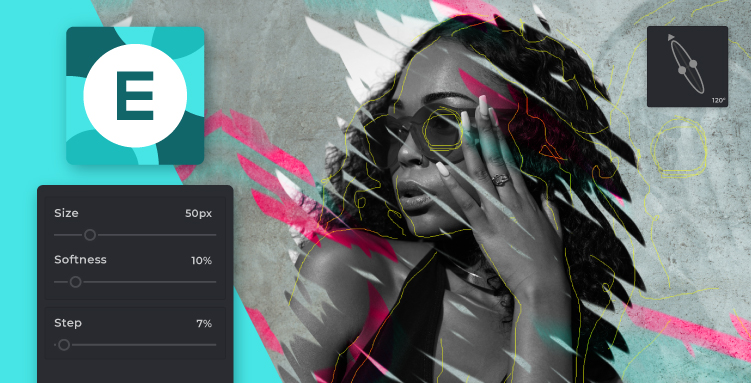
Pixlr is an online photo editor and graphic design tool that combines powerful editing features with ease of use.
Key Features
- Layer-Based Editing: Allows for more complex and precise designs.
- AI-Powered Tools: Features like automatic background removal make design tasks easier.
- Mobile App: Edit on the go with Pixlr’s mobile app.
Pricing
- Free Plan: Basic editing tools with ads.
- Paid Plans: Start at $4.90/month, billed annually.
6. Adobe XD: Comprehensive UI/UX Design Tool
Adobe XD is a versatile tool for UI/UX design. It offers vector-based design and prototyping features and is seamlessly integrated into the Adobe ecosystem.

Key Features
- Prototyping: Create interactive prototypes with smooth transitions and voice interactions.
- Adobe Ecosystem Integration: Leverage assets from Photoshop, Illustrator, and Adobe Stock.
- Responsive Resize: Automatically adjust designs for different screen sizes.
Pricing
- Free Starter Plan: Includes limited features and cloud storage.
- Paid Plans: Start at $9.99/month for a single app subscription.
7. Sketch: A Favorite Among UI/UX Designers
Sketch is a vector-based design tool widely used by UI/UX designers. Its simplicity and powerful plugin ecosystem make it a go-to for creating digital products.

Key Features
- Symbols and Components: Reusable design elements for consistent UI design.
- Artboards: Design for multiple screen sizes simultaneously.
- Plugin Ecosystem: Hundreds of plugins to extend functionality.
Pricing
- One-Time Purchase: $99/year for an individual license.
- Team Plans: Start at $9/user/month, billed annually.
Canva Alternatives’ Collaborative Capabilities: A Comparative Analysis
Here’s how these tools compare in collaborative features:
- Figma: Leads in real-time collaboration with live editing, comments, and shared libraries.
- InVision: Focuses on prototyping and gathering feedback through interactive prototypes.
- Visme: Offers data visualization and collaboration on presentation with real-time commenting.
- Canva Pro: Provides basic team collaboration tools, making it user-friendly for non-designers.
Balancing Ease of Use and Advanced Features
Each Canva alternative balances user-friendliness and advanced capabilities differently:
- Adobe Spark and Visme: Offer beginner-friendly interfaces with room for growth.
- Figma and Sketch: Provide advanced features while maintaining accessibility.
- Affinity Designer and Adobe XD: Offer a middle ground between simplicity and advanced tools.
- Pixlr: Caters to both beginners and advanced users with its tiered complexity approach.
Unique Integrations and Compatibility
When choosing a design tool, consider its integrations and compatibility with other software in your workflow:
- Adobe Spark and Adobe XD: Integrate seamlessly with other Adobe Creative Cloud apps.
- Figma: Offers strong API support with integrations for Slack, Trello, Jira, and GitHub.
- Affinity Designer: Provides extensive file format compatibility, including PSD, SVG, and EPS.
- Visme: Integrates with Google Sheets, Zapier, YouTube, and Vimeo.
- Pixlr: Connects with cloud storage platforms like Google Drive and Dropbox.
- Sketch: Boasts an extensive plugin ecosystem for added functionality.
Pricing Considerations
When evaluating these alternatives, consider their pricing structures:
- Freemium Model: Many tools, like Adobe Spark and Pixlr, offer free versions with paid upgrades.
- Subscription-Based: Figma, Visme, and Adobe XD primarily operate on monthly or annual subscriptions.
- One-Time Purchase: Affinity Designer and Sketch offer a one-time purchase option, which can be more cost-effective in the long run.
Hidden Costs to Consider
Look out for potential hidden costs such as storage limits, export options, and add-ons that could increase the overall expense of using these platforms.
Conclusion
In the ever-evolving landscape of graphic design tools, Canva has undoubtedly made its mark. However, exploring alternatives can expand your design horizons and enhance your creative output. Whether you need advanced vector editing, real-time collaboration, or powerful data visualization, Canva alternatives can help you achieve your design goals.
The key is not to replace Canva but to complement it with other tools that suit your needs. Try these alternatives, experiment with different platforms, and let your creativity soar!
Looking for professional help to make your design projects even easier? Let Sortlist guide you in finding the perfect graphic design agency for your business—at no cost!
With this comprehensive guide, you’ll learn how to choose the right agency to elevate your brand. Ready to explore your options? Browse our list of top graphic design agencies today and take your creative output to the next level effortlessly!


