Examples of Personalized, Interactive Emails That Drive Results

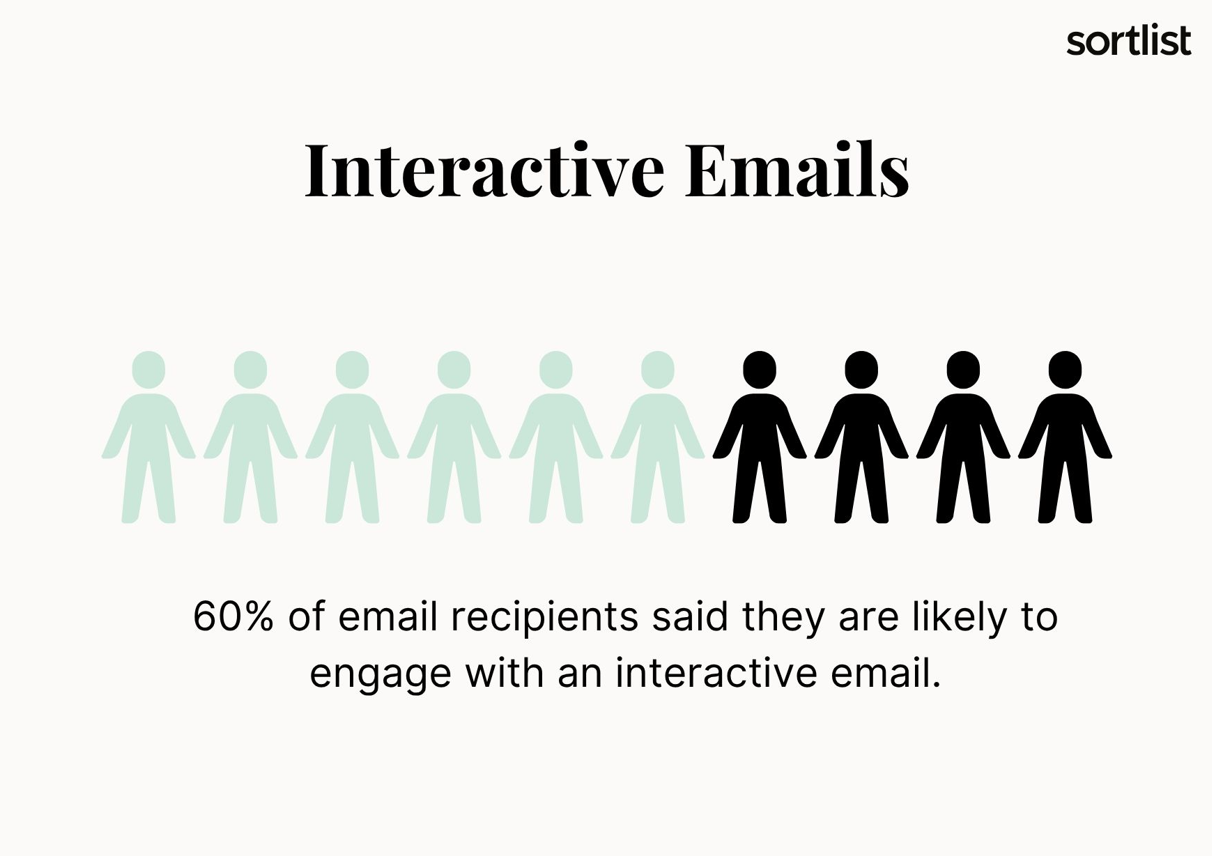
Email marketing remains one of the most powerful tools in a digital marketer’s arsenal. However, in 2025, static messages will no longer be enough to capture attention or drive conversions. The most successful campaigns today use personalized, interactive emails to create engaging, dynamic experiences that deliver measurable results. In fact, adding interactive elements to your email campaigns can increase interaction by 60%. We bet that’s exactly what you’re looking for: emails that are delivered to the inbox, opened, and clicked.
Read on to learn what interactive emails are, why they matter in 2025, and to see real-world examples of personalized, interactive emails that convert.
Ready to start?
Key Takeaways
- Interactive emails produce results. Elements such as polls and carousels can significantly increase engagement and conversions.
- Personalization and mobile-first design are essential. Users expect seamless, tailored experiences in their inboxes.
- Strategy and testing are essential. Clear goals, the right tools, thorough testing, and fallback options are essential for effective campaigns.
What Are Interactive Emails?
Interactive emails allow users to take action directly within the email interface without needing to visit a landing page or external website.
These emails often include features such as:
- Image carousels
- Accordion sections
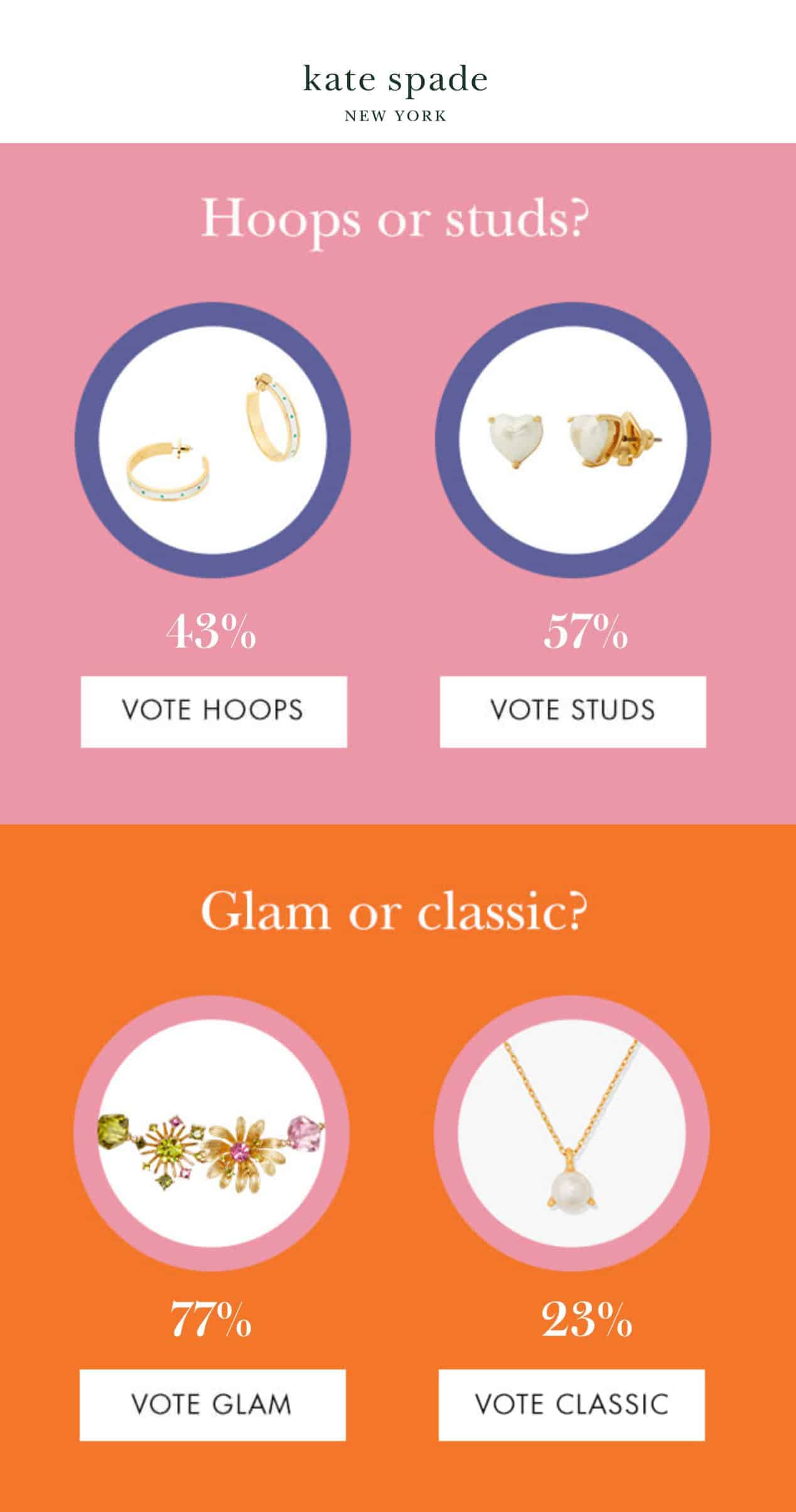
- In-email surveys or polls
- Product selection
- Quizzes
- Countdown timers
- Live progress bars
- Interactive navigation menus
- Embedded videos and GIFs
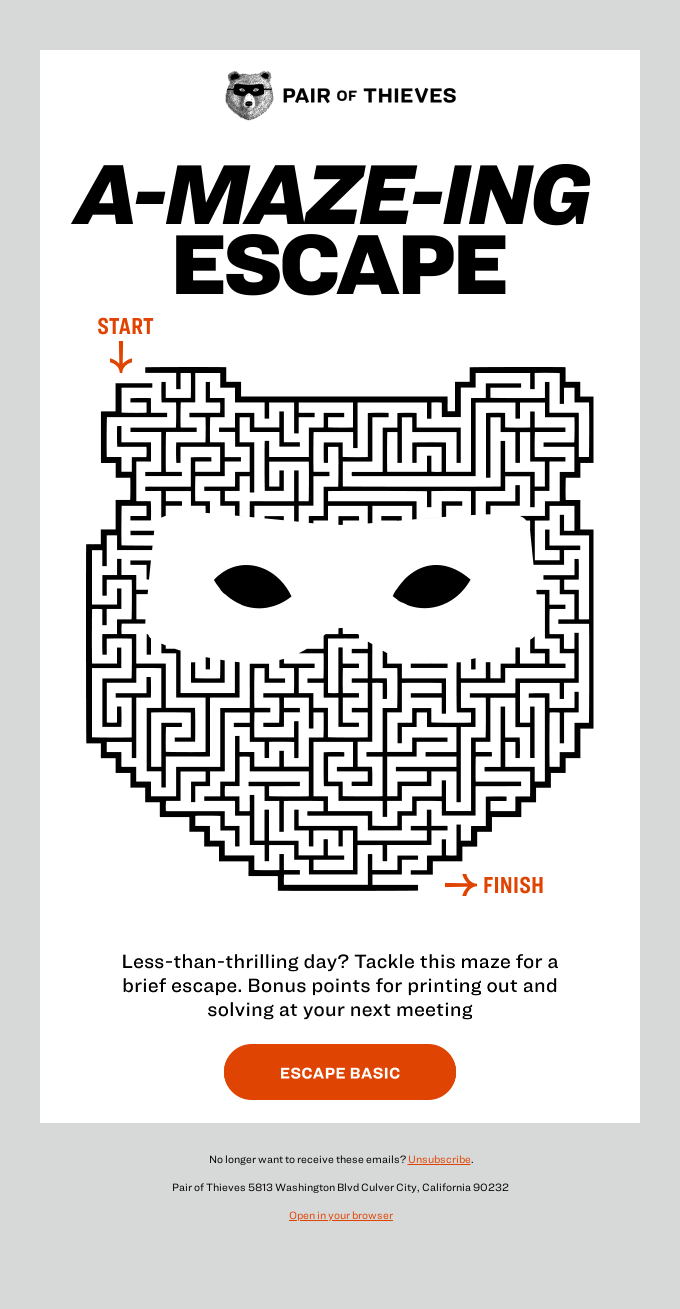
These features are powerful because they allow users to interact with the content inside the inbox, turning the email into a mini-experience rather than just a static message.
However, interactive emails offer more than just a fun experience for your database subscribers. They are a powerful means of increasing conversions and engagement for your brand. The average email click-through rate (CTR) is 2.8%. However, adding interactive elements to your emails and getting users to engage with your content can drive higher engagement, improving CTR by up to 73%.
Why Emails With Interactive Elements Matter in 2025
As consumer expectations evolve, your marketing strategies must evolve too. Today, users expect personalized, real-time experiences, including in their inboxes. It’s your job to meet those expectations; failing to do so will only hurt your brand and sales.
1. Inbox clutter is at an all-time high: The average person receives over 121 emails per day. This means your message must compete with dozens, if not hundreds, of others for attention. Adding interactive elements to your email will help it stand out, increase dwell time, improve click-through rates, and boost conversions.
2. Personalization is the new standard: Static, batch-and-blast emails are a thing of the past. Today’s consumers expect messages tailored to their preferences, behaviors, and actions. Interactive emails allow you to:
- Deliver customized product recommendations
- Segment experiences based on quiz answers or embedded survey responses
- Adjust content dynamically based on user interaction
3. Mobile-first behavior: Over 50% of emails are now opened on mobile devices. Working with interactive email elements helps you reduce friction by enabling actions without redirecting to a browser. Whether your users are voting in a poll or purchasing a product, their experience remains seamless.
How to Create High-Impact Interactive Emails
We have created a step-by-step guide to help you get started and add interactive functionality to your email marketing campaigns.
Follow this step-by-step guide to create interactive emails that are visually appealing, conversion-focused, personalized, and optimized for modern inbox experience behavior.
Step 1: Define a Clear Goal for Email Interactivity
What exactly are you looking to achieve by adding interactive elements to your email campaigns? Are you aiming for more clicks? Survey completions? Direct purchases?
Ask yourself:
- Do I want more clicks?
- Am I collecting feedback?
- Is the goal product discovery or direct sales?
The first step in this process is aligning your interactive element with a single goal. This will help you avoid confusing the user, which is a huge mistake. We highly recommend that you keep the objective singular and focused. Interactive emails perform best when the call to action is clear and user behavior is easy to track.
Step 2: Choose the Right Interactive Email Elements
Once you know what your goal is, it will be easier to determine which interactive features to include in your email campaign.
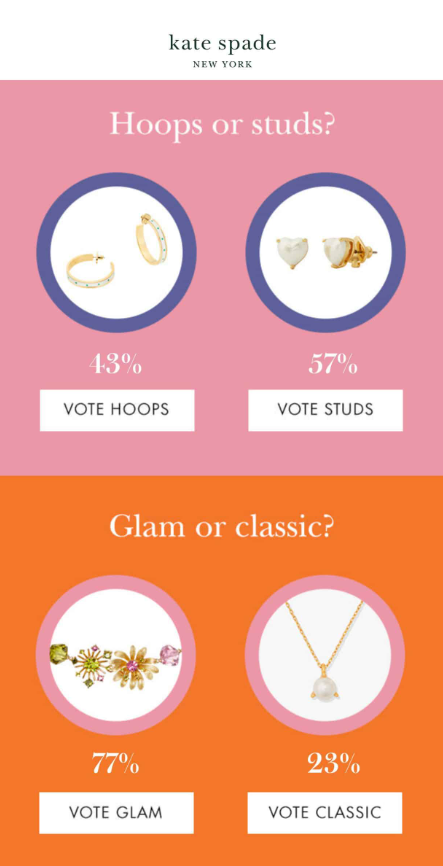
Some of the most common interactive email elements include:
- Quizzes or polls to engage your audience
- Product carousels for showcasing multiple items
- Countdown timers to create a sense of urgency
- Gamification elements to spike excitement and curiosity
- Hover effect to enhance clickabilitu
- Interactive forms to capture data
- Progress bars to show reward or task completion
- Accordions or collapsible menus for compact information
Match the element to your campaign goal. For instance, use a quiz for lead qualification or a progress bar to encourage return visits.
Step 3: Choose the Right Tools
In order to include interactive and dynamic elements in your emails, you will need to work with tools that support AMP for Email, CSS animations, or advanced HTML. These tools allow interactivity within an email. Recipients can interact directly with email components without being redirected to a mobile app, website or landing page. This means your users can book reservations, browse products, fill out forms, and schedule calls simply by clicking on the email.
Some popular platforms include:
- Mailchimp
- Iterable
- Braze
- Stripo.email
- Litmus
Make sure you choose one that allows you to create personalized emails with ready-to-use email templates and an easy-to-use editor. It should also offer reporting and dashboards to help you track the performance of your email marketing efforts and conversion funnel.
Step 4: Personalize Using Data for Better User Experience
Use behavioral data, past purchases, or quiz results to tailor the experience for each subscriber on your mailing list. The more relevant the interaction, the higher the engagement. The days of one single email generating thousands of dollars are long gone.
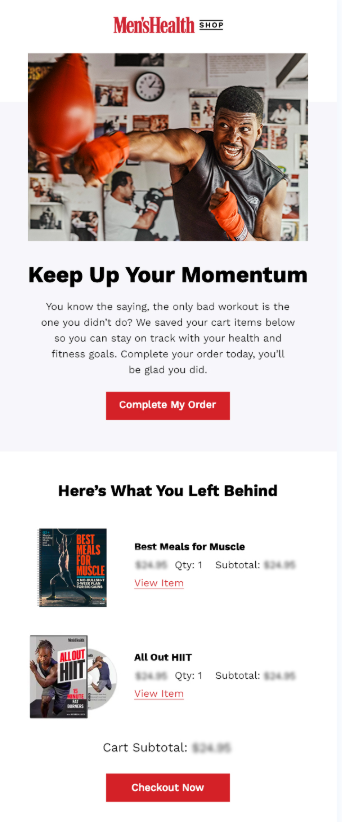
However, personalization goes far beyond including the recipient’s name in the email. Use the data you’ve collected (e.g., birthdays, interests, pages visited, products and services viewed) to create relevant email content.
Tools like Iterable, Klaviyo, and HubSpot allow you to insert personalized, interactive content into emails.
For example, if a customer recently purchased athletic gear, you could include a carousel of complementary products, such as water bottles or fitness trackers.
Step 5: Testing Interactive Emails
With a large percentage of people opening and engaging with emails on mobile devices, it’s imperative to always test your campaigns on different devices. Ensure that they render correctly on both mobile and desktop devices. Don’t forget to check for dark mode; more and more users are opting for it every day.
Here are some tips to help you perform thorough testing and create device-optimized emails:
- Use a single-column layout
- Make CTAs thumb-friendly (large enough to tap)
- Test them in Gmail, Outlook, Apple Mail, etc.
Tools like Litmus and Email on Acid help you with testing email interactivity across devices.
Step 6: Always Include a Fallback Version
As you begin creating personalized and creative emails, it’s important to understand that not all email clients support interactive features. For example, desktop versions of Outlook do not support these features. For this reason, it’s imperative that you always include fallback content.
Some example fallbacks include:
- A static image in place of a carousel
- A link to an external quiz page if AMP fails
- A plain-text version of the progress bar
This ensures that every recipient has a usable experience, even if different interactive elements fail.
Step 7: Test Thoroughly Before Sending
Before launching your interactive email, as an email marketer you need to take the time to thoroughly test it. Make sure you check the following:
- The functionality of every interactive feature
- Load time and responsiveness
- Rendering across all major email clients
- Fallback content performance
We highly recommend using A/B testing to compare interactive and non-interactive versions. Monitor metrics such as click-through rate, scroll depth, and time spent in the email.
Step 8: Send Interactive Emails, Track, and Optimize
Once you have ensured that all interactive elements are working properly, you can launch your email campaign. However, your work is not finished. You now need to closely monitor its performance.
Some of the most important KPIsfor interactive emails are:
- Click-to-open rate (CTOR):
- Time spent reading
- Interaction rate per element
- Conversions from email
- User behavior after the email (e.g., completing a purchase or quiz)
Use these insights to refine your next campaign. Track which interactive components drove the most engagement or revenue.
Best Examples of Interactive Email Marketing That Drives Results
Examining brands that successfully use interactive emails to engage audiences and improve ROI can help you understand which best practices to replicate and how to optimize each interactive email send and boost engagement.
Google Pixel Buds
Google hit the nail on the head with this interactive email. This email announced the launch of the Google Pixel Buds, making the user experience as smooth as possible. Recipients could see the product from different angles and in different colors right within the email. There was no need to be redirected to a landing page.
With one click, they could add the newly released product to their cart and purchase it.

Interactivity and personalization are the two key elements of this email. Keep this in mind as you work on your next email marketing campaign.
Bose
Do you remember the excitement of scratching something to reveal a prize? Bose does, too. They replicated this concept in one of their campaigns. Users simply had to move their cursor or finger over the image to reveal a coupon code. It was something so simple yet effective.
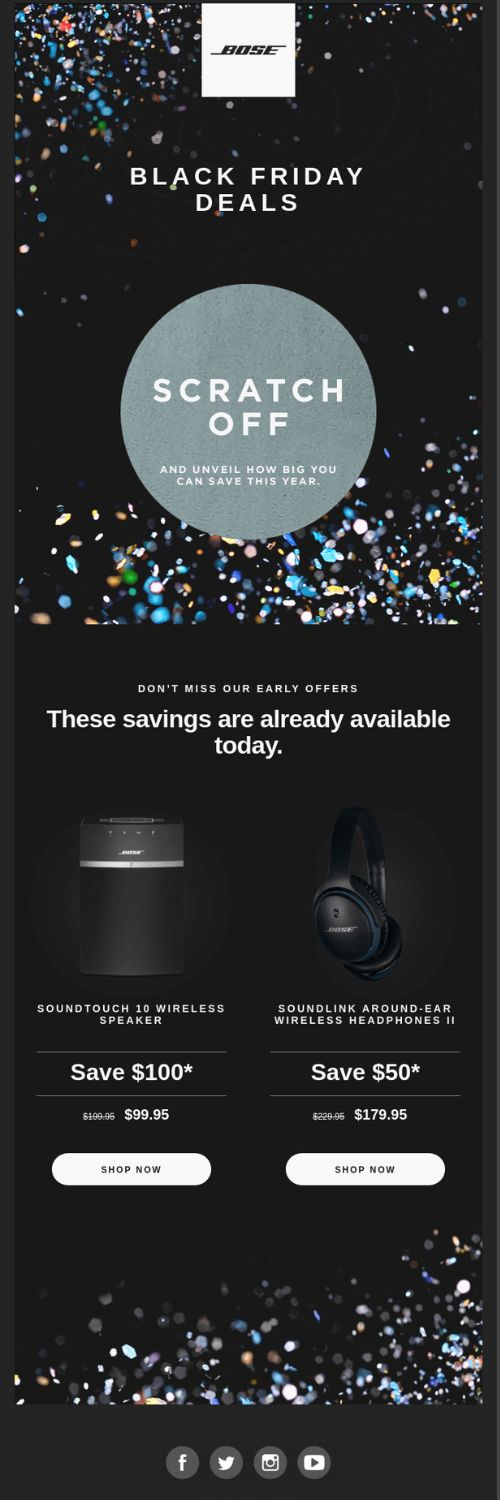
This email campaign combined gamification with an engaging user experience. In return, the brand saw an increase in campaign performance KPIs and revenue during the competitive Black Friday season.
BBC
The BBC is on point with their email marketing. The following example shows that a simple email design can be powerful and connect with the reader.
In this email, they presented a nicely designed header image. Users could click on each “+” sign to read more about each animal family.
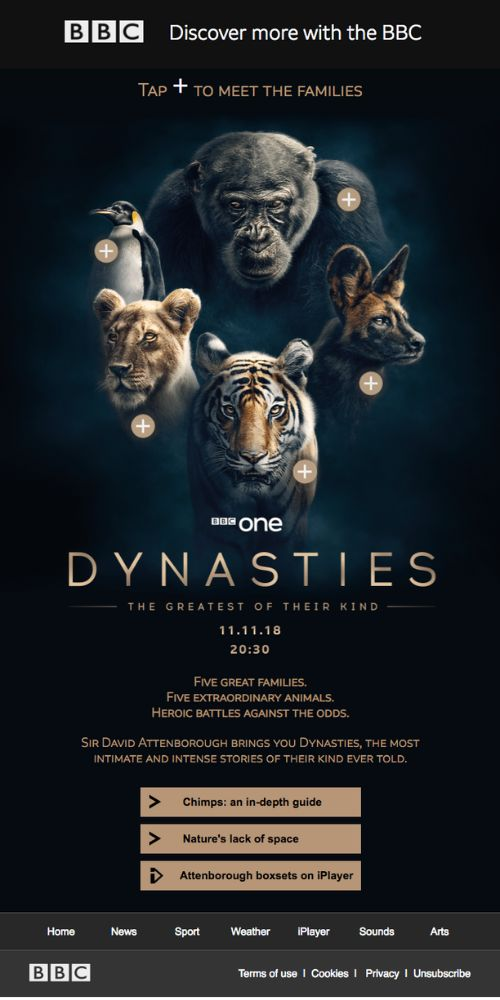
The BBC’s goal was to draw attention to their latest show and provide their audience with relevant and exciting information.
Conclusion
Interactive emails are no longer novel. They are a piece of email marketing that every brand must excel. To do so, however, you need to master personalization, user experience (UX), and conversion-focused design. Combining these elements into one powerful format can lead to a better user experience, improved KPIs, increased deliverability, and more revenue. It’s a win win situation!
If you’re not leveraging interactive email content yet, then you’re missing out on one of the most scalable ways to improve your digital marketing strategy’s performance and provide an engaging experience to all of your subscribers. Contact one of our email marketing agencies today to make this your number one priority for the rest of 2025.