

AI Photography Tools in 2025: How They’re Redefining Commercial Shoots

Last update: 26 August 2025 at 03:26 pm
 5.00/5
In 2025, the commercial photography landscape underwent a dramatic transformation, driven mostly by the rapid development of artificial intelligence. Tasks that once required expensive photo studio setups, large production crews, and extensive post-processing can now be completed in a fraction of the time and cost with AI photography tools.
For marketing professionals, photographers, and designers, this revolution means more than just speed and efficiency. It means you have a new level of creative freedom. Today, AI photography tools can generate hyper-realistic visuals, automate repetitive editing tasks, and tailor imagery to specific audiences with unparalleled precision.
In this article, we break down the top AI photo tools that are making waves this year: how they work and where they excel. If you’re looking to streamline your workflow, elevate your creative output, or cut production costs, these tools offer smart, scalable solutions.
Key Takeaways
- AI is revolutionizing commercial photography. AI tools are streamlining workflows, reducing costs, and enabling new levels of creative control for marketers, photographers, and designers, from pre-production to post-production.
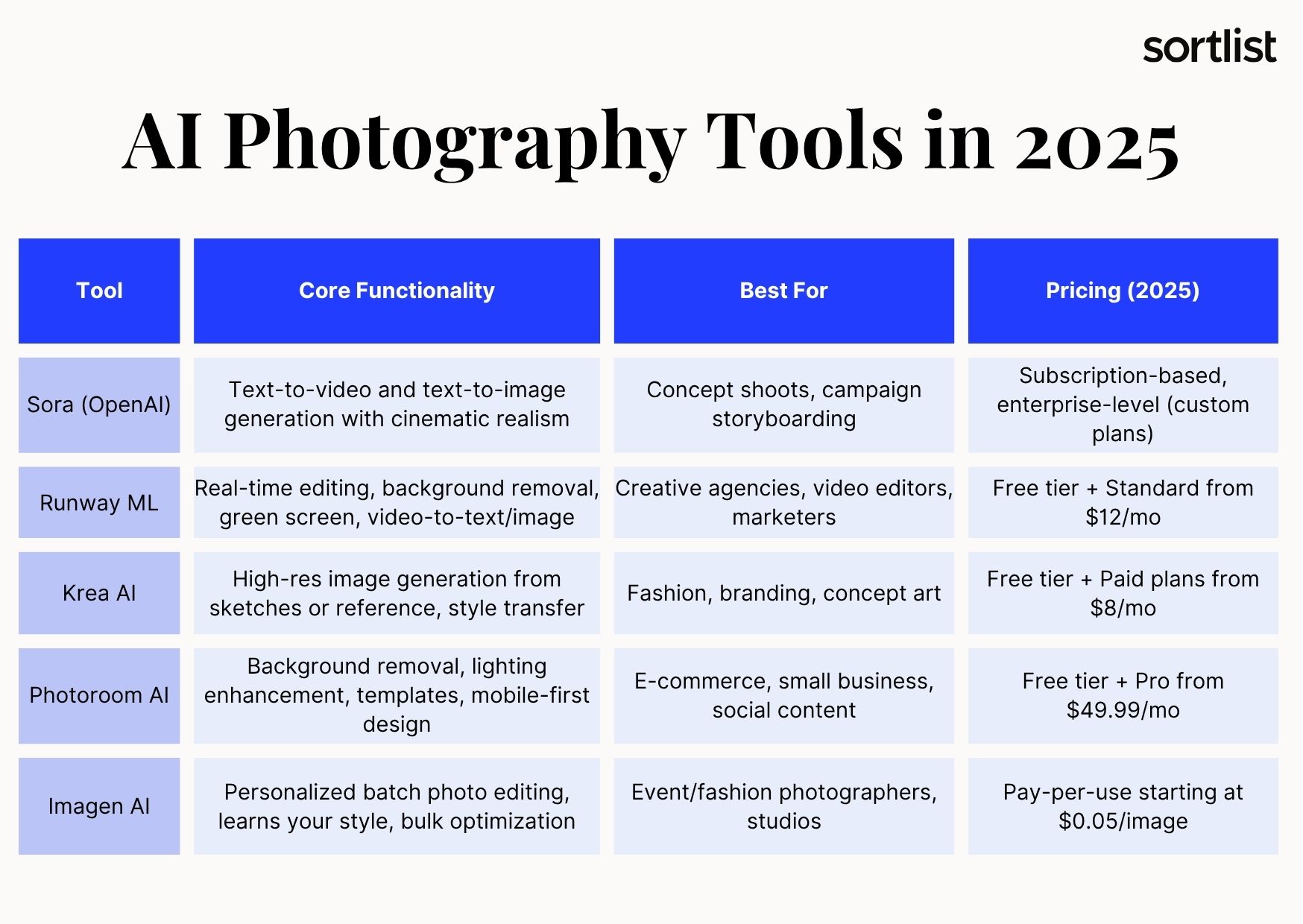
- A new generation of tools is leading the way. Platforms like Sora, Runway ML, Krea AI, Photoroom, and Imagen AI are redefining how professionals create and edit visual content, offering everything from text-to-image generation to personalized batch editing.
- The benefits are significant, but so are the risks. While AI photography boosts efficiency and scalability, concerns around copyright, ethics, and visual homogenization are also raised. Strategic use and quality control are essential.
- Human direction still matters. The best results come from treating AI as a creative partner, not a replacement. Brands that combine human oversight with intelligent AI adoption will define the future of visual storytelling.
Why These AI Photography Tools? Our AI Tools Selection Criteria
The AI revolution is here to stay, and the photography industry has embraced it. Although there are many AI photography tools today, choosing the right one is not easy. To help you decide, we evaluated each platform based on four core criteria.
- Built for commercial use: We prioritized tools that are widely used in advertising, branding, product visuals, and design.
- Innovation-driven: We looked for platforms that push the boundaries of realism, efficiency, and creative control.
- Easy to use: Each tool is accessible, even for non-tech experts.
- Proven industry impact: These tools are shaping workflows and setting new standards.
The AI powered tools in this article offer practical, creative, and scalable solutions for photography, design, and marketing professionals like you.
Sora by OpenAI
Developed by OpenAI, Sora has been making waves due to its ability to generate highly realistic videos and still images from simple text prompts. Though originally designed for video, Sora enables you to extract cinematic-quality frames, offering a powerful alternative to traditional location shoots.
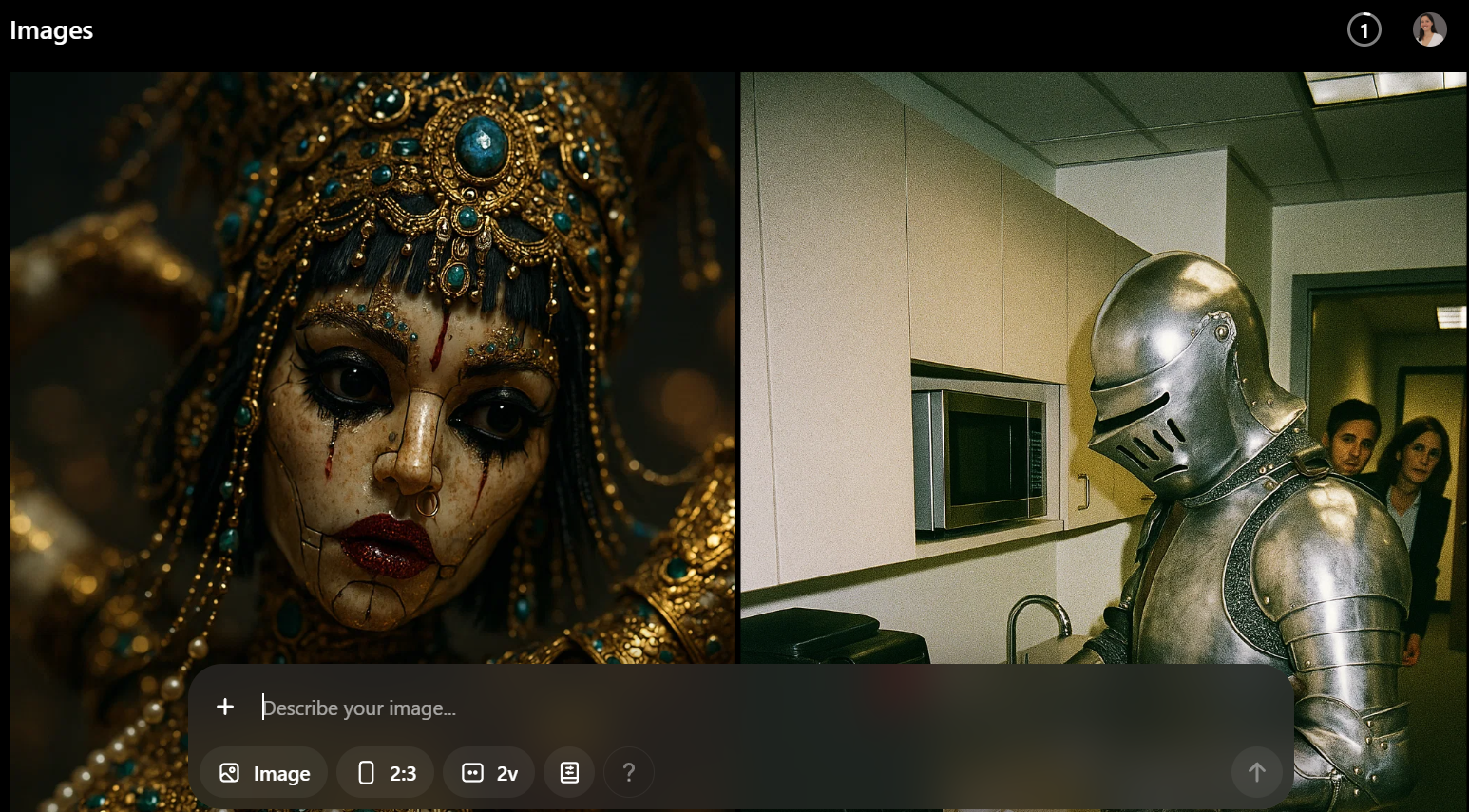
Whether you’re creating lifestyle imagery or storyboarding, Sora lets you simulate scenes with stunning lighting, mood, and composition. There’s no need for travel, crews, or location permits. You only need your imagination.
At Sortlist, we highly recommend using Sora AI for the following:
- Creating location shoots without traveling
- Producing storyboard-level assets from scripts
- Generating fashion or product videos without a set
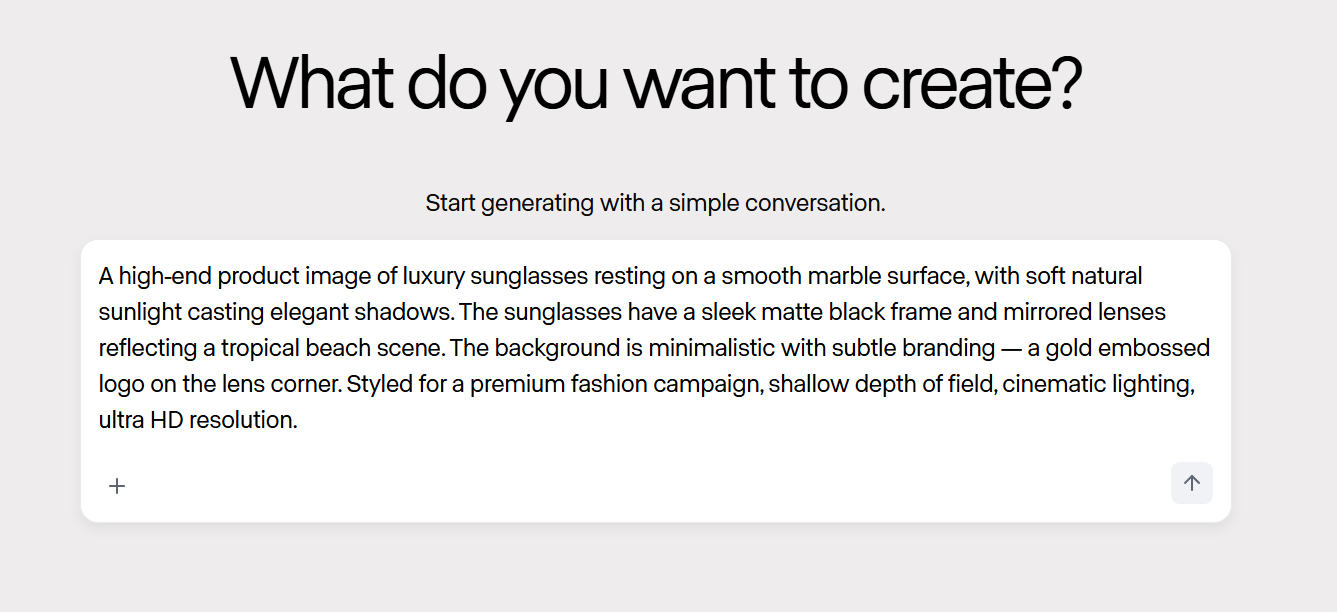
To use Sora, simply: Select “image” in the prompt window of Sora AI, then enter a description of the image you want to generate. Make sure to nail down the details, including colors, mood, lighting, characters, and environment. Once you enter your prompt, ChatGPT Images will generate the image or visual content. Please note that you will need a Plus, Team, or Pro account to generate videos and AI images. If you are a ChatGPT Free tier user, you can generate a limited number of AI generated photos per day.
Runway ML
Runway ML has established itself as a creative production suite that empowers you with tools such as video inpainting, background replacement, and AI-generated animations. Runway’s ability to deliver real-time results sets it apart, making it invaluable for fast-paced environments.
If you work in marketing or e-commerce, Runway can help you transform rough images into polished, on-brand assets, while eliminating the need for traditional editing back-and-forth. This AI tool is ideal for collaborative teams or anyone working on a tight timeline.
After testing Runway ML, we recommend using it for:
- Quickly replacing or standardizing product backgrounds
- Enhancing lighting and reflections on product photos
- Creating animated product showcases or 360° spins
To create an image in Runway ML, sign up or log in at runwayml.com. Navigate to the AI Tools section and select the “Text to Image” tool. Enter a detailed description of the desired image, such as “a futuristic cityscape at sunset with neon lights reflecting off wet streets and flying cars,” and adjust settings like style, aspect ratio, and resolution. Click “Generate” and wait for the image to be created. To improve your results, use specific prompts and, if possible, provide reference images to guide the model.
Krea AI
Krea AI has earned a strong reputation among designers and stylists for its precise and fashion-forward image generation. Unlike other programs that rely solely on prompts, Krea allows you to upload visual references, sketches, or even branding guides, making it ideal for high-detail work.
Fashion designers and creative directors use Krea to explore new looks, test concepts, and develop campaigns, eliminating the need for physical shoots. Its ability to precisely replicate textures, poses, and lighting makes Krea a go-to tool for editorial work.
At Sortlist we ran a few excersices with Krea AI, and we agreed that you can turn to it for:
- Rapid prototyping of fashion campaigns
- Translating sketches into high-resolution imagery
- Creating mood boards from branded visual assets
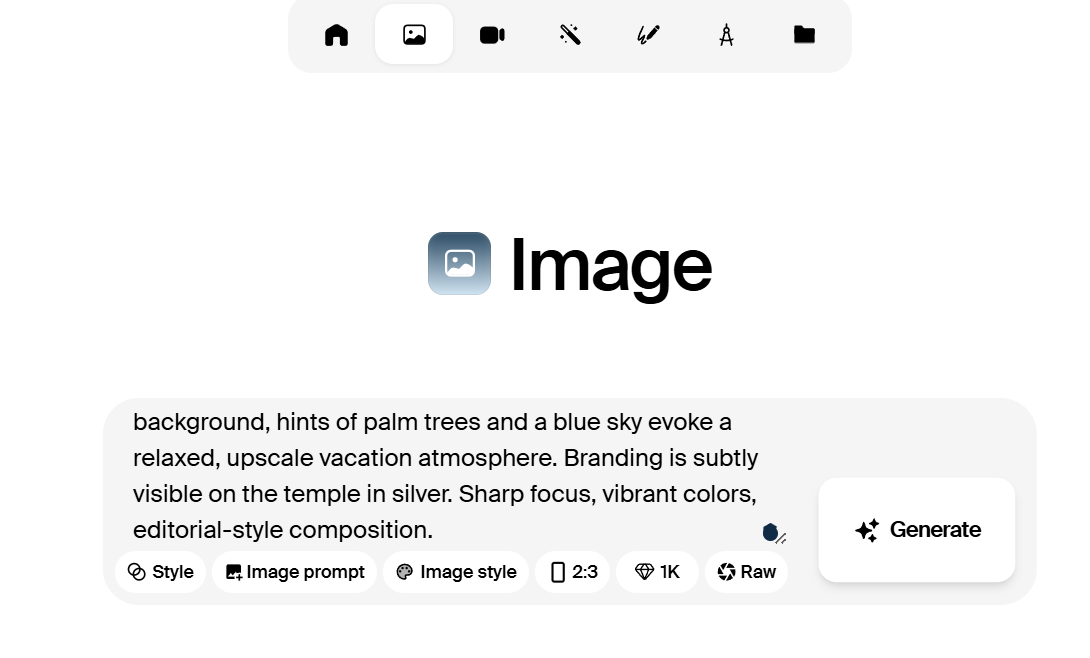
To create an image in Krea AI, start by uploading yourinitial visual reference. This could be a sketch, mood board, or any design element that reflects your concept. Then, customize the generation parameters, such as style, color palette, and level of detail, to align with your creative vision. Krea’s AI synthesizes these inputs to produce a high-resolution, photorealistic image that captures the nuances of your reference while allowing for creative flexibility. You can iterate throughout the process by tweaking the inputs or selecting from a diverse range of generated AI images until you achieve the perfect shot for your fashion, branding, or design project.
Photoroom AI
Photoroom AI is the go-to tool for creators and marketers in need of clean, brand-ready images in a hurry. Its core strengths are automatic background removal, lighting adjustments, and one-click templates optimized for digital sales.
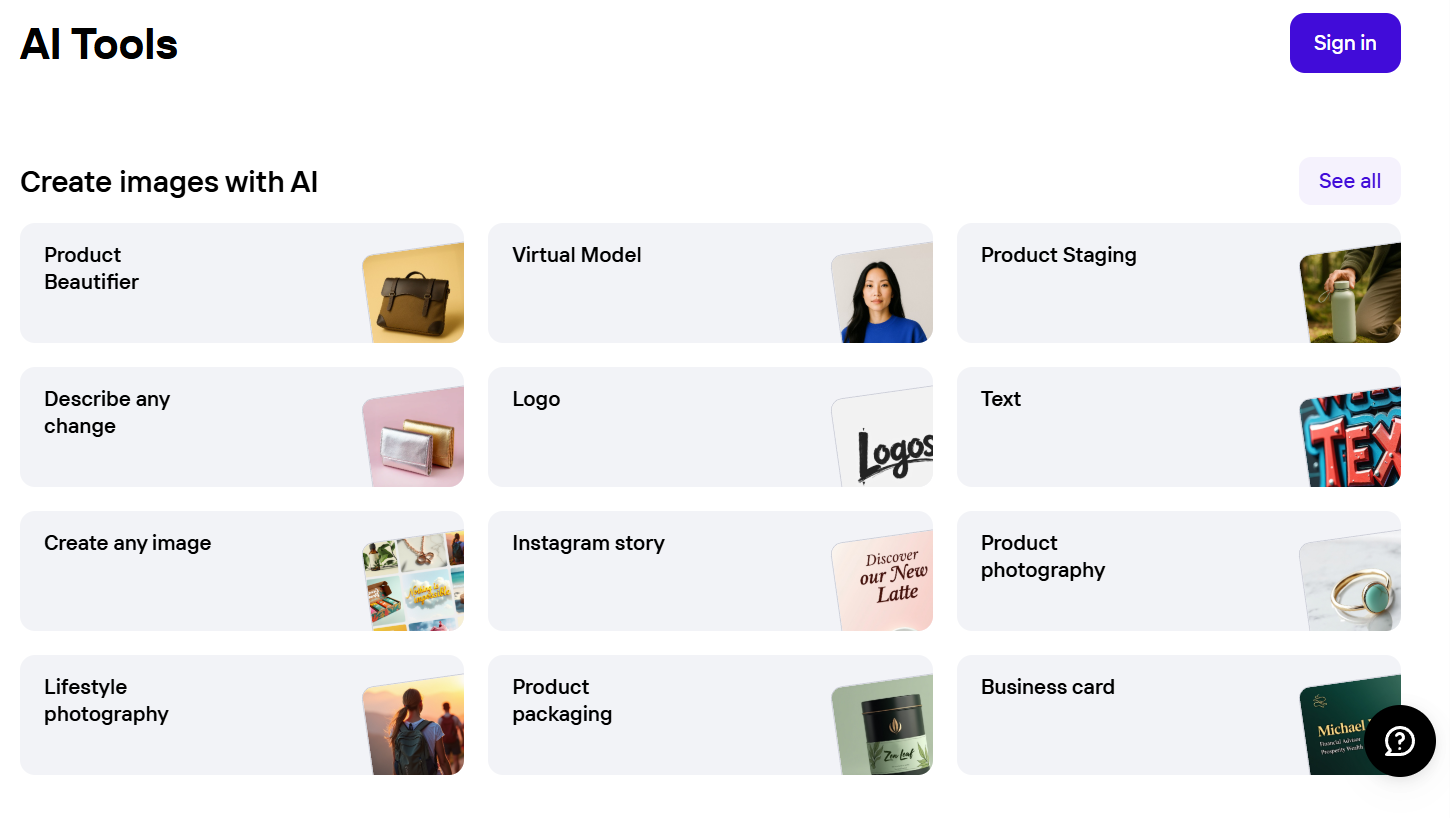
Whether you’re a solo entrepreneur managing an online store or a social media manager pushing visual content daily, Photoroom makes it easy to turn smartphone shots into polished images suitable for listings, ads, or posts. All of this while saving time.
In short, and after testing it for several projects, we recommend Photoroom for:
- Quick e-commerce product photography
- Generating uniform catalog images
- Enhancing social media posts with custom templates
To create an image with Photoroom AI, upload a photo through the desktop or mobile app. The system will automatically detect and remove the background. Then, choose from a wide selection of templates tailored for e-commerce, social media platforms, or product catalogs. Use the built-in photo editing tools to adjust the lighting and shadows or to scale the image. You can also add branding elements, such as logos and text. Once you are satisfied with the layout, export your edited AI photo at the desired resolution.
Imagen AI
Imagen AI offers one of the most personalized editing experiences in photography. The tool learns your editing style and applies it to batches of images, saving hours of post-processing time.
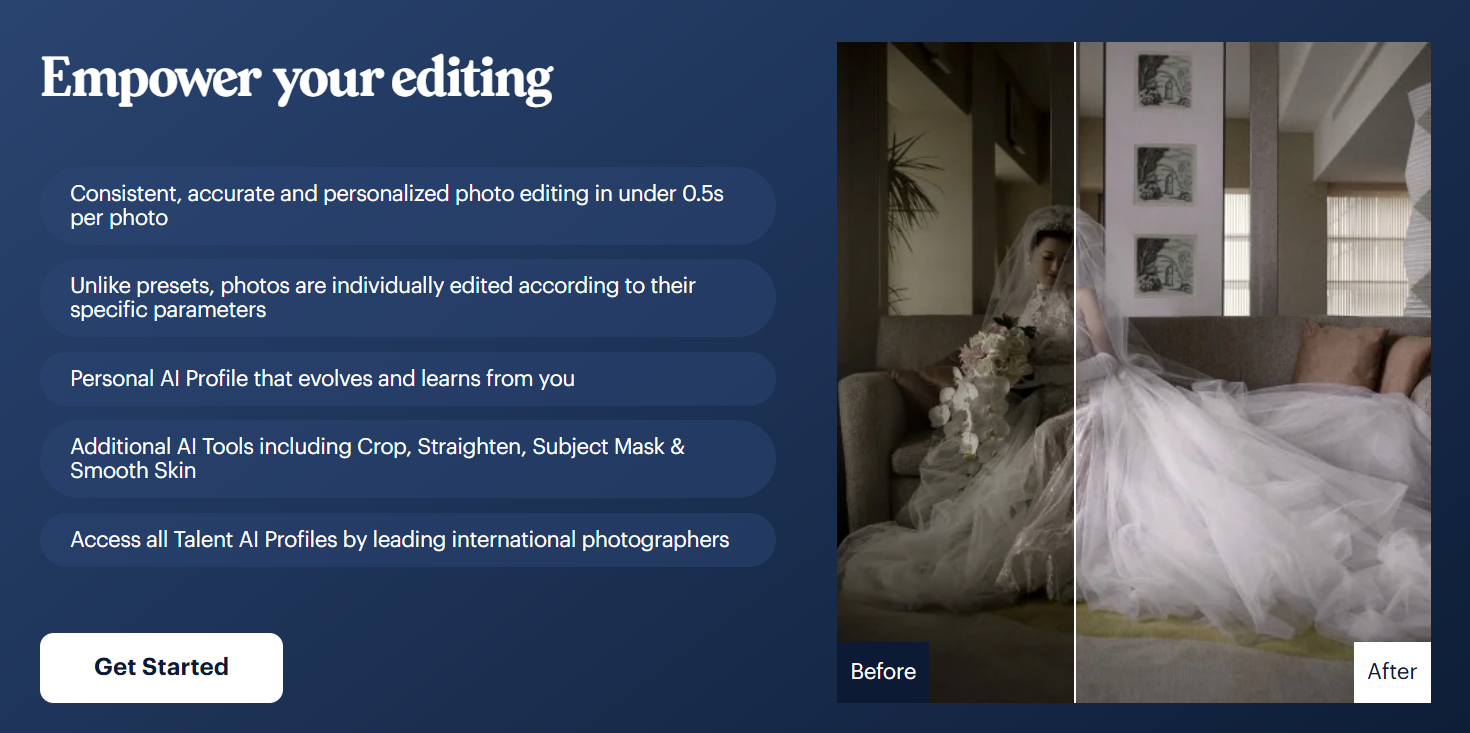
This tool is perfect for high-volume photographers. Imagen helps you maintain a consistent brand tone across large projects without spending hours in Lightroom, PhotoShop or any other photo editors.
At Sortlist we believe that the ideal use cases for this generative AI tool include:
- Automating edits for event shoots
- Speeding up workflow for high-volume photography
- Applying consistent looks across seasonal campaigns
To create an image in Imagen AI, start by uploading a sample gallery of your edited photos to teach the AI model your editing style. Once your style profile is trained, upload a new batch of unedited images and select your profile for automated processing. Imagen will then apply adjustments to each photo, including color correction, exposure, contrast, and cropping, based on your preferences. You can then review the images and edit if necessary.
Advantages & Risks of AI Photos
As AI photography tools evolve, they offer powerful benefits, but they also introduce new risks and challenges that you, as a creative, must learn to navigate. Let’s take a look at the most important ones.
Advantages of Generative AI in Photography
- Faster production cycles: They allow you to complete in hours what once took days or weeks.
- Lower costs: It’s the best option to save on locations, crew, equipment, and editing.
- Creative flexibility: They allow you to simulate environments, styles, and subjects that are difficult or impossible to capture in real life.
- Scalability: They are there to help you generate multiple versions of an asset for different formats, audiences, or campaigns.
- Personalization: These tools allow you to create visuals that are hyper-tailored to your user personas or buying stages.
⚠️ Risks of AI Image Generation
- Intellectual property issues: There still are questions around content ownership and training data usage that remain unresolved.
- Homogenization of visuals: The overuse of AI can lead to generic, synthetic-looking content.
- Ethical concerns: The misuse of synthetic imagery, deepfakes, or biased data sets can damage your brand’s credibility.
- Quality control: Without human oversight, AI-generated images may contain inconsistencies or deviate from brand guidelines. It’s key that you always double-check any type of content created by AI tools.
Best Practices for Using AI Photography Tools
Using AI photography tools isn’t just about getting better images; it’s about using them thoughtfully and strategically to support your brand’s voice, aesthetic, and goals. Here are some tried-and-true best practices for making the most of these technologies:
- Use AI as a creative assistant, not a replacement. Let AI accelerate your workflow while keeping human vision and direction at the core of every project.
- Be transparent with clients and audiences. Clearly communicate when AI tools have been used, especially in campaigns or editorials.
- Respect licensing and copyright boundaries. Choose editing and generative AI tools with clearly defined usage rights, especially for commercial projects.
- Test performance before scaling. Run A/B tests to measure the performance of AI-generated visuals before using them across campaigns.
- Maintain human quality control. Always review AI outputs for accuracy, brand consistency, and cultural sensitivity.
- Train AI tools on your style. Where possible, personalize your tools to reflect your brand identity.
Following these best practices will help you maintain creative integrity while benefiting from the speed and scale that AI tools offer. As technology evolves, a thoughtful, human-centered approach will distinguish your work from the competition.
Conclusion
In 2025, AI photography tools are changing how we create, scale, and deliver visual content for brands. Mastering these tools means unlocking new levels of efficiency and creativity.
Are you ready to elevate your photography with AI? At Sortlist we recommend that you start by exploring a tool and incorporating it into your next project. Start small and scale up after you’ve been able to create several photographs that clearly reflect your brand identity and that are well received by your target audience.
Remember you can use AI tools to create photographs for your website, social media platforms, product images, and more. The sky is the limit! Whether you’re embracing AI tools or looking for expert human creatives, the right photographer makes all the difference. Explore top photography agencies on Sortlist to find a partner that fits your brand, budget, and goals.


